Licensing
Displays the status of the EasySightPro® licensing. If there are multiple licenses, then the first valid license is used.
Licensing is performed on the basis of the connected USB license dongle. The EasySightPro® license file is therefore only valid in connection with the licensed USB dongle.
Information: If a license error occurs, you must restart EasySightPro® to fix it.
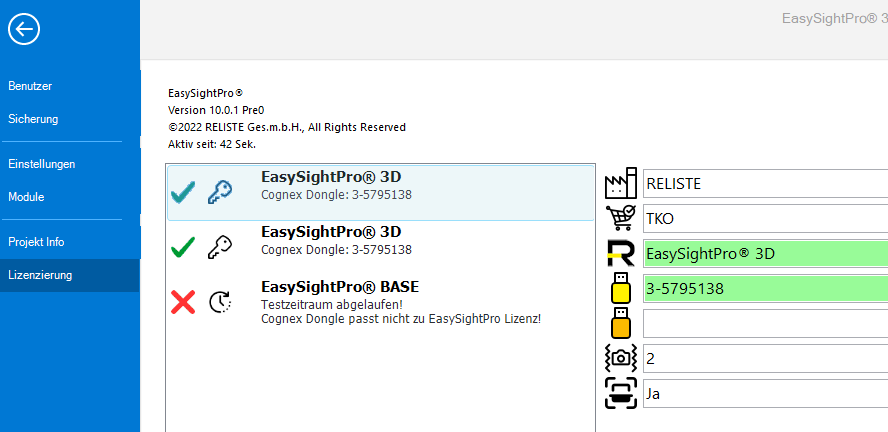
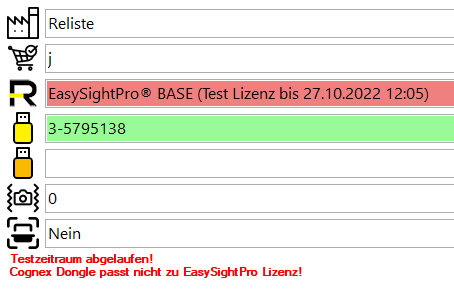
Invalid licenses are marked with a red X. The detail display shows the license error caused.
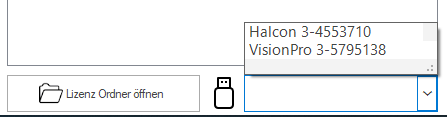
Below the overview the license folder can be opened and the currently connected serial numbers of the USB dongle can be checked.
License information

|
Owner (purchaser) of the license. |

|
Order number/purchase order number of the license. |

|
EasySightPro®license (Item). |

|
Cognex VisionPro Dongle Serial Number. |

|
MVTec Halcon Dongle Serial Number. |

|
Number of licensed EasyFeeder stations. |

|
License for Mitsubishi CIS Scanner. |